
Download CoffeeCup Web Calendar – Free Flash Calendar Tool for Windows
Overview of CoffeeCup Web Calendar
CoffeeCup Web Calendar is a lightweight, flash‑based calendar solution designed for web developers who need a quick, reliable way to embed an interactive date picker into their sites. First introduced in the early 2000s and continuously refined, the current version 3.4 (released January 31 2007) remains a solid choice for anyone running a Windows‑based development environment. The program falls under the Development software category with a specific focus on Internet tools, making it a niche yet valuable addition to a web designer’s toolkit.
Despite its age, the application still offers a clean, easy‑to‑customize interface that lets you control colors, fonts, and layout without touching a line of code. The built‑in preview window shows exactly how the calendar will appear once embedded, and the generated HTML/Flash snippet can be dropped into any page that supports Flash—still a common requirement for legacy sites. CoffeeCup Web Calendar is distributed as a trial version, allowing users to evaluate the full feature set before deciding to purchase the full license. Over the years it has accumulated more than 860 downloads, reflecting a steady interest among developers who prefer a no‑frills, dependable calendar widget.
The software is only available in English and runs on Windows 98 and later versions, which means it can operate on virtually any Windows machine still in use today. Its modest disk footprint (well under 5 MB) ensures that it won’t bloat your development workstation, and the installer follows the classic Windows setup wizard, making the installation process familiar to anyone who has installed software on Windows before. Whether you are building a corporate intranet portal, a personal blog, or an e‑commerce site that needs a date selector for bookings, CoffeeCup Web Calendar provides a secure, straightforward solution that can be up and running in minutes.
Key Features and Simple Installation Guide
Feature List
- Flash‑based interactive calendar with mouse‑over date selection.
- Fully customizable colors, fonts, and sizes to match your site’s design.
- Automatic generation of HTML/Flash embed code for easy insertion.
- Multiple language support for month and day names (though the UI is English).
- Option to set start day of week (Sunday or Monday) and define holidays.
- Lightweight installer (under 5 MB) that works on Windows 98 and newer.
- Preview window to see changes in real time before publishing.
- Compatibility with any web page that supports Flash (including older browsers).
- Simple licensing model: trial version with full features, upgrade to paid license for unlimited use.
Step‑by‑Step Installation & First‑Time Use
Installing CoffeeCup Web Calendar is intentionally straightforward. Begin by downloading the installer from the official CoffeeCup website. The file is typically named CoffeeCupWebCalendarSetup.exe. Once the download completes, double‑click the file to launch the Windows Setup Wizard. Follow the on‑screen prompts: accept the End‑User License Agreement, choose an installation folder (the default location works for most users), and click “Install.” The process usually finishes within a minute, given the program’s small size.
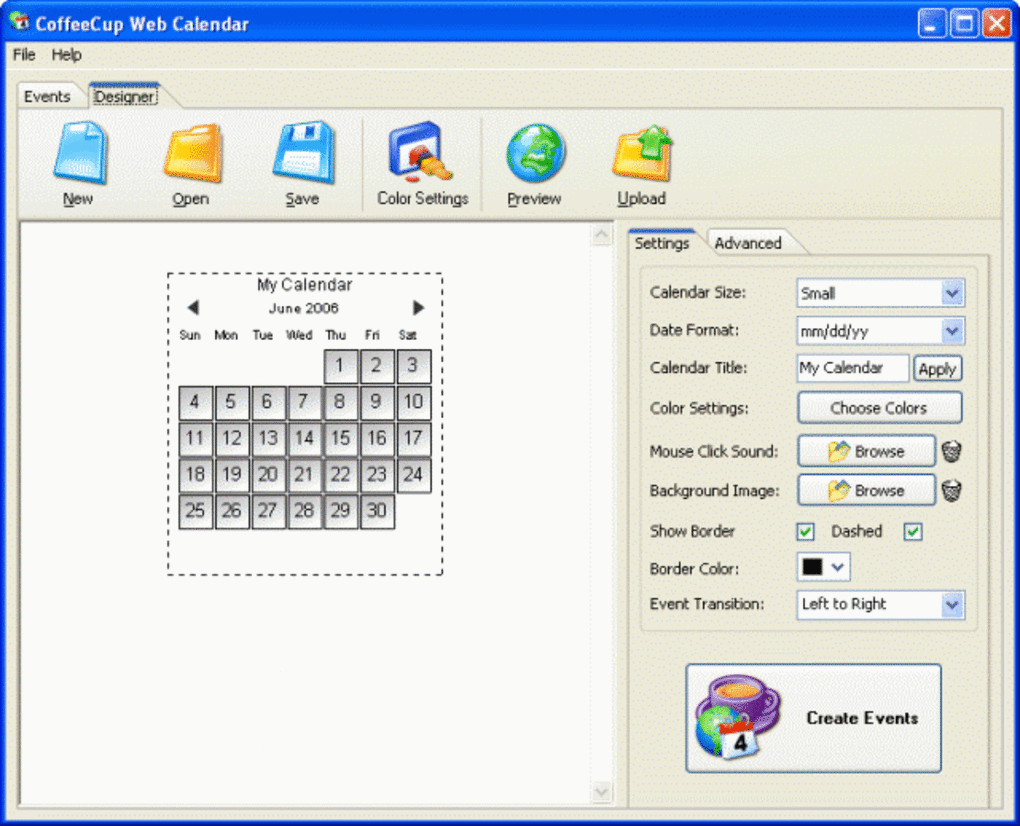
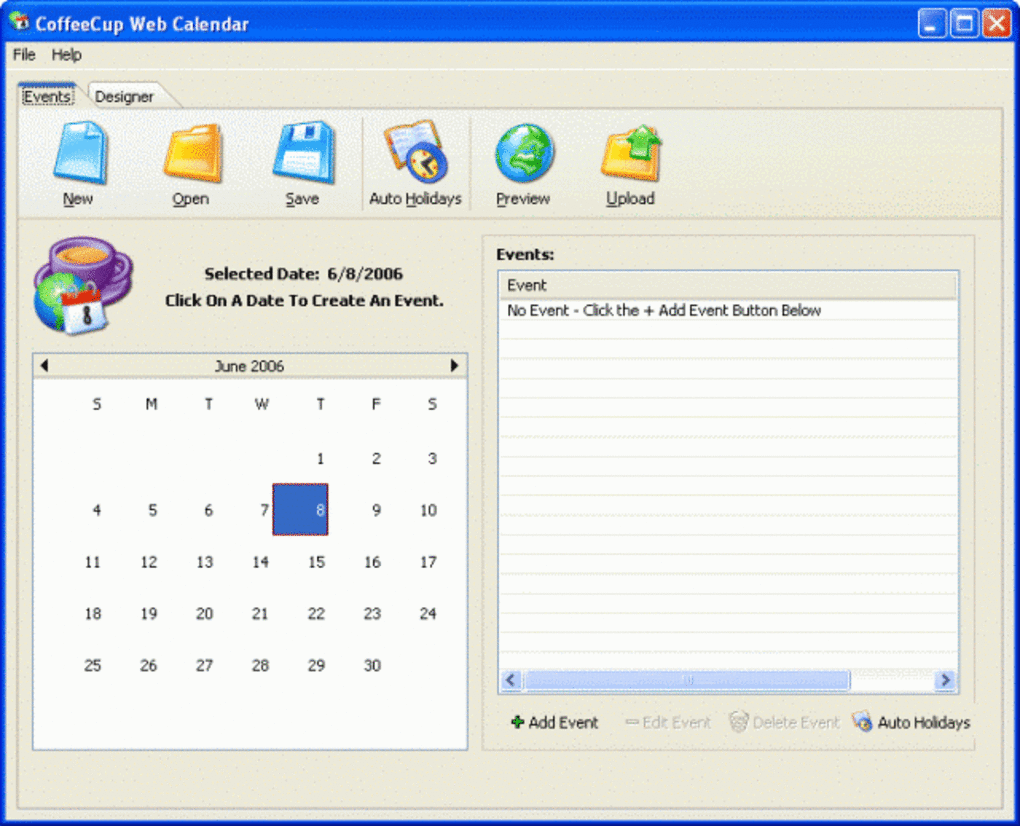
After installation, launch the application from the Start menu or desktop shortcut. The main window presents a calendar preview on the left and a set of customization panels on the right. Use the “Appearance” tab to select background colors, border styles, and font families. The “Settings” tab lets you define the first day of the week, add special dates (such as holidays), and choose whether the calendar should display month navigation arrows.
Once you are satisfied with the look, click the “Generate Code” button. A dialog box appears containing the HTML and Flash embed snippet. Copy this code to your clipboard and paste it directly into the HTML source of the page where you want the calendar to appear. Save the page and open it in a browser that supports Flash to see the calendar in action. If you encounter any display issues, return to the application, adjust the size or colors, and regenerate the code. Because the tool provides a live preview, you can iterate quickly without guessing how changes will affect the final output.
For users who need to integrate the calendar into a content management system (CMS) like WordPress or Joomla, simply add the generated code into a custom HTML block or module. The calendar will behave like any other embedded Flash object, responding to user clicks and returning the selected date to your form fields if you have configured the appropriate JavaScript callbacks (the trial version includes basic callback examples). Overall, the installation and usage workflow is designed to get you from download to a live calendar on your site in under ten minutes.
Compatibility, Pros & Cons, and Frequently Asked Questions
Operating System Compatibility
CoffeeCup Web Calendar is built for Windows operating systems ranging from Windows 98 up through Windows XP and later releases. Because the program itself is a native Windows executable, it runs natively on 32‑bit and 64‑bit systems alike. While the generated calendar is a Flash object that can be displayed in any browser with Flash support, it does not have a native Mac or Linux version. However, developers on those platforms can still use the generated code on their web pages; the limitation is only on the desktop authoring tool.
Pros and Cons
- Pros:
- Very small installer and low system resource usage.
- Intuitive drag‑and‑drop style customization with live preview.
- Generates clean, ready‑to‑use embed code that works on any Flash‑enabled site.
- Supports holiday and special date marking without extra coding.
- Free trial provides full functionality, allowing thorough evaluation.
- Cons:
- Relies on Flash, which is deprecated in modern browsers and not supported on mobile devices.
- No native Mac or Linux version of the authoring tool.
- Interface looks dated compared to contemporary HTML5 calendar widgets.
- Lacks built‑in support for responsive design out of the box.
- License upgrade is required for commercial use beyond the trial period.
FAQ – Answers to Common Questions
Is CoffeeCup Web Calendar compatible with modern browsers?
The generated calendar uses Flash, so it works only in browsers that still support Flash (e.g., older versions of Internet Explorer or Firefox with Flash enabled). Modern browsers have discontinued Flash support, so for new projects you may want to consider an HTML5 alternative.
Can I customize the calendar’s look without writing code?
Yes. The application provides a visual interface where you can change colors, fonts, and sizes using dropdowns and color pickers. Changes are reflected instantly in the preview window.
Do I need to purchase a license to use the calendar on a commercial site?
The trial version is fully functional for testing, but the license must be purchased for unlimited commercial use. The license removes the trial watermark and grants you the right to deploy the calendar on client sites.
What file format does the tool generate for embedding?
It creates a standard HTML tag that references a small SWF (Flash) file. The code can be copied directly into any HTML page.
Is there a way to make the calendar responsive for mobile devices?
Because the calendar is Flash‑based, it does not automatically scale on mobile browsers. You would need to wrap the embed code in a container that uses CSS scaling, but performance may be limited. For truly responsive calendars, an HTML5 widget is recommended.
Review Summary
Rating: 3.8/5
CoffeeCup Web Calendar remains a solid, low‑overhead option for legacy sites that still rely on Flash. Its ease of use and tiny footprint are strong points, but the shift away from Flash in modern web development limits its long‑term relevance.
Conclusion & Call to Action
In summary, CoffeeCup Web Calendar delivers exactly what its name promises: a quick, free way to add a functional flash calendar to any Windows‑based web project. Its straightforward interface, comprehensive customization options, and tiny installer make it especially attractive to developers maintaining older sites or those who need a reliable fallback for browsers that still support Flash. While the reliance on Flash is a clear drawback for new projects, the tool’s stability and low resource usage continue to earn it a place in the toolbox of many seasoned web designers.
If you are looking for a no‑cost, secure, and easy‑to‑deploy calendar widget for an existing Windows environment, the trial version of CoffeeCup Web Calendar is definitely worth a download. Should your project require modern, responsive design, consider pairing it with an HTML5 alternative, but keep this classic tool handy for legacy support or quick prototyping.
Ready to give CoffeeCup Web Calendar a try? Download the free trial now and start embedding interactive calendars on your website today. Upgrade to the full license when you’re ready to remove trial limitations and unlock commercial usage rights.







